
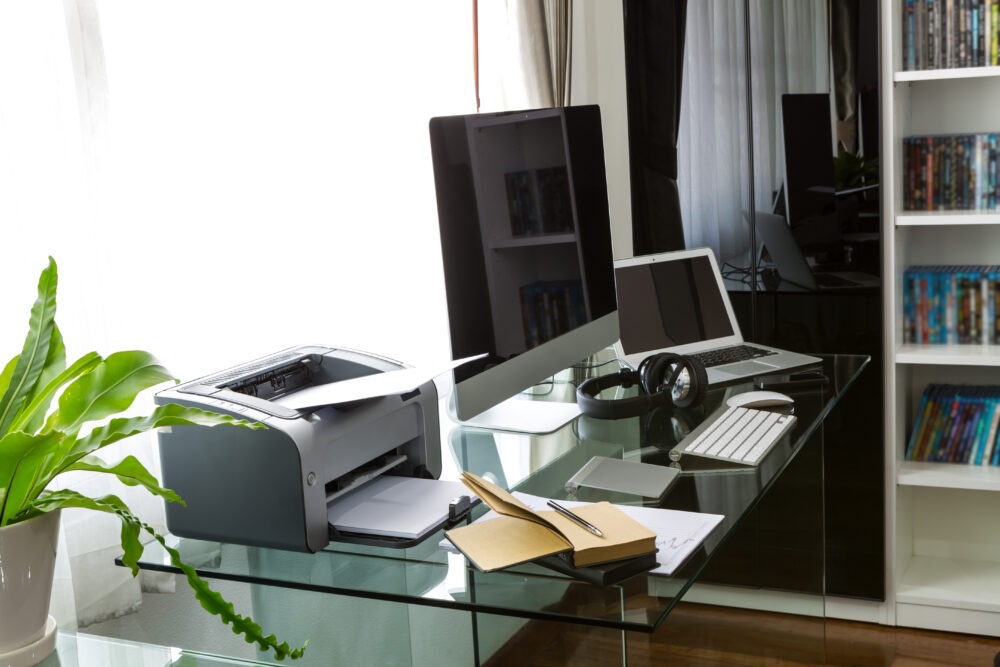
Choosing the right office printer directly impacts workplace productivity and long-term printing costs. Whether you’re printing contracts, invoices, reports, or customer documents, having the right printer for office use ensures smoother workflows and minimizes business interruptions.
As organizations continue to embrace digital transformation, the demand for efficient printing, scanning, and document management solutions has grown significantly. Businesses today can choose between a Single-Function Printer (SFP), designed primarily for high-quality printing, and a Multifunction Printer (MFP) that combines printing, scanning, copying, and often faxing into a single device. Understanding the strengths of each option helps businesses make an informed investment that aligns with their operational needs and future growth.
This guide compares both technologies across cost, productivity, security, maintenance, and scalability to help you choose the best printer for business, whether you’re a startup, SME, or large enterprise.
Which Is Better – Single-Function or Multifunction Office Printers?
Single-function office printers are ideal for businesses that primarily require high-volume printing and already have dedicated scanners or copiers. Multifunction office printers combine printing, scanning, copying, and document management in one device, making them a better choice for most organizations seeking improved productivity, lower hardware costs, and streamlined workflows.
What is a Single-Function Office Printer?
A Single-Function Office Printer is designed to perform one primary task, which is printing. Unlike multifunction devices, it focuses solely on delivering high-quality print output, making it suitable for organizations with dedicated scanning and copying equipment.
Single-function printers are available in laser, inkjet, and high-speed production models. Laser printers are preferred for high-volume document printing, while inkjet models are commonly used for color-rich graphics and marketing materials.
These business printers are ideal for manufacturing units, warehouses, print rooms, and organizations that require continuous printing without additional document management features. Businesses looking for a reliable commercial printer for large print volumes often choose single-function devices because of their speed, durability, and lower maintenance complexity.
What is a Multifunction Office Printer?
A Multifunction Office Printer, often called an All-in-One printer, combines multiple document management capabilities into a single device. In addition to printing, it can scan, copy, fax (on select models), support cloud printing, and integrate with document management systems.
Modern multifunction printers offer wireless connectivity, mobile printing, secure document access, and seamless integration with cloud storage platforms. These features simplify document sharing while reducing the need for multiple standalone devices.
For businesses focused on digital transformation, multifunction printers provide a centralized solution for document workflows. They help improve collaboration, reduce hardware costs, and optimize office space, making them one of the best printers for office use in India for small and medium-sized businesses.
Single-Function vs Multifunction Office Printers: Feature Comparison
While both printer types deliver reliable printing performance, they differ significantly in functionality, workflow support, and business applications. Understanding these differences helps organizations select the solution that best aligns with their daily operations.
Below is a detailed comparison of single-function and multifunction office printers.
| Feature | Single-Function Printer | Multifunction Printer |
| Printing | Delivers fast, high-quality printing for businesses with dedicated print requirements. | Provides the same high-quality printing while combining scanning, copying, and other document management functions. |
| Scanning | Requires a separate scanner to digitize documents. | Includes built-in scanning for quick document digitization and sharing. |
| Copying | Does not support copying and requires a standalone copier. | Offers integrated copying, reducing the need for additional hardware. |
| Fax | Fax functionality is not available. | Select models include built-in fax capabilities for businesses that still require fax communication. |
| Duplex Printing | Supports automatic double-sided printing on most business models. | Supports duplex printing while enhancing overall workflow efficiency. |
| Wireless Printing | Allows employees to print wirelessly from computers and mobile devices. | Enables wireless and mobile printing with added flexibility for hybrid workplaces. |
| Cloud Integration | Offers limited cloud connectivity depending on the printer model. | Supports advanced cloud integration, allowing users to print from and scan directly to cloud storage platforms. |
| Document Workflow | Best suited for basic printing requirements with minimal document handling. | Streamlines end-to-end document workflows, including printing, scanning, sharing, and archiving from a single device. |
Cost Comparison
Cost is often one of the first factors businesses evaluate when selecting an office printer. However, comparing only the purchase price may not provide a complete picture of the long-term investment.
Single-function printers generally have a lower upfront purchase price, making them attractive for organizations with straightforward printing needs. However, businesses may need to purchase separate scanners, copiers, and additional equipment, increasing overall infrastructure costs.
Multifunction printers typically require a higher initial investment but consolidate several devices into one. This reduces maintenance expenses, electricity consumption, service costs, and hardware purchases, resulting in better long-term return on investment for many organizations.
Productivity Comparison
Printer efficiency directly influences employee productivity and business performance. The ability to print, scan, copy, and share documents without switching between devices can significantly reduce processing time.
Single-function printers perform exceptionally well in environments focused primarily on high-volume printing. However, employees often need to move between multiple devices to complete document-related tasks, increasing workflow interruptions.
Multifunction office printers centralize document processes into a single system. Employees can print, scan, copy, and distribute documents more efficiently, reducing manual effort and improving collaboration across departments.
Space Requirements
Office space is an important consideration, particularly for growing businesses and modern workplaces. Choosing the right printer can help organizations maximize available workspace while maintaining operational efficiency.
Single-function printers often require additional scanners, copiers, and fax machines to support document workflows. These multiple devices occupy more office space and increase infrastructure complexity.
A multifunction office printer combines several functions into one compact device, reducing equipment clutter and creating a more organized work environment. This makes it an excellent choice for businesses operating in space-constrained offices.
Print Quality and Performance
Print quality requirements vary depending on the industry and business application. Some organizations prioritize speed, while others require exceptional color accuracy or high-volume production capabilities.
Single-function printers generally deliver higher print speeds and larger monthly duty cycles, making them suitable for production environments with continuous printing demands. They are commonly used where printing remains the primary operational requirement.
Multifunction printers provide excellent print quality for everyday business documents while balancing speed with additional functionality. For most offices, they offer the ideal combination of performance, convenience, and document management capabilities.
Security Features
As printers become connected to business networks, they also become potential cybersecurity endpoints. Protecting sensitive business information requires more than simply securing computers and servers.
Modern office printers support secure print release, user authentication, encrypted data transmission, firmware updates, and audit logs that help protect confidential documents. These features reduce the risk of unauthorized access and strengthen organizational security.
Multifunction printers often include advanced security capabilities because they manage document storage, scanning, and sharing in addition to printing. For enterprises handling sensitive information, robust print security is a critical consideration.
Maintenance and IT Management
Printer maintenance affects both operational efficiency and IT workload. Businesses should evaluate how much time and effort is required to keep devices running reliably.
Single-function printers are generally easier to service because they perform fewer functions and contain fewer components. However, organizations managing multiple standalone devices may still experience increased maintenance efforts and higher administrative overhead.
Multifunction printers simplify IT management by consolidating multiple devices into one platform. Many enterprise models also support remote monitoring, predictive maintenance, and centralized device management, helping IT teams reduce downtime and improve overall efficiency.
Which Businesses Should Choose Single-Function Printers?
The right printer depends on your organization’s daily operations, print volume, and document workflow requirements. While multifunction printers suit most modern offices, single-function printers remain a practical choice for businesses with specialized printing needs.
Below are the types of businesses that benefit most from single-function office printers.
- Manufacturing facilities that require continuous printing of invoices, production reports, labels, and operational documents.
- Print shops handling high-volume printing jobs where speed and output quality are the primary priorities.
- Warehouses and logistics companies printing shipping labels, purchase orders, and inventory documents throughout the day.
- Organizations with dedicated scanning and copying equipment, where a separate commercial printer delivers better printing performance and efficiency.
Which Businesses Should Choose Multifunction Office Printers?
Multifunction office printers are ideal for organizations looking to simplify document management while improving collaboration and reducing hardware costs. Their all-in-one capabilities make them suitable for businesses that regularly print, scan, copy, and share documents.
Below are the industries that benefit most from multifunction office printers.
- Small and medium-sized businesses (SMEs) seeking cost-effective document management.
- Healthcare organizations managing patient records, prescriptions, and medical documentation.
- Educational institutions printing study materials, certificates, and administrative documents.
- Legal firms handling contracts, case files, and confidential paperwork.
- Financial institutions requiring secure document processing and compliance.
- Government offices managing high volumes of official documentation.
- Corporate offices supporting collaborative document workflows.
- Hybrid and remote workplaces that rely on cloud printing and mobile accessibility.
Decision Matrix
Every business has different printing requirements. Evaluating your operational priorities can help determine whether a single-function or multifunction office printer is the better investment.
Below is a quick decision matrix to simplify the selection process.
| Business Requirement | Best Choice |
| Printing Only | Single-Function Printer – Best for businesses that primarily require fast, high-volume printing without scanning or copying. |
| Print + Scan + Copy | Multifunction Printer – Combines multiple document management functions into one device, improving efficiency. |
| Limited Office Space | Multifunction Printer – Consolidates printing, scanning, and copying into a single compact device, saving valuable workspace. |
| High Print Volume | Single-Function Printer – Designed for continuous, high-speed printing with larger monthly duty cycles. |
| Small Business | Multifunction Printer – Offers greater value by reducing hardware costs and simplifying everyday office workflows. |
| Large Enterprise | Depends on Workflow – Organizations may use both printer types depending on departmental printing and document management needs. |
| Document Digitization | Multifunction Printer – Built-in scanning and cloud integration simplify document digitization and electronic record management. |
| Cost Efficiency | Multifunction Printer – Reduces hardware, maintenance, and energy costs by replacing multiple standalone devices with one solution. |
Factors to Consider Before Buying Printer for Business
Choosing the best printer for business requires more than comparing specifications. Businesses should evaluate both their current operational needs and future growth plans before making a decision.
Below are the key factors to consider before purchasing an office printer.
- Monthly print volume.
- Black-and-white or color printing requirements.
- Scanning and copying needs.
- Number of employees using the device.
- Print security and compliance requirements.
- Cloud printing and mobile accessibility.
- Long-term maintenance and consumable costs.
- Business expansion and future scalability.
- Integration with document management systems.
Common Mistakes Businesses Make
Many organizations focus only on purchase price and overlook the long-term impact of printer selection. Avoiding common mistakes helps maximize return on investment and ensures the chosen solution continues to support business operations.
Below are some of the most common mistakes businesses make.
- Purchasing oversized printers with features that are rarely used.
- Ignoring scanning and document digitization requirements.
- Choosing a printer based only on upfront cost instead of total cost of ownership.
- Overlooking maintenance expenses and consumable costs.
- Failing to consider future business growth and scalability.
- Neglecting printer security features.
- Installing printers in locations that reduce accessibility and workflow efficiency.
Industry Use Cases
Different industries have unique printing and document management requirements. Selecting the right printer for office use helps improve productivity while supporting industry-specific workflows.
Below are examples of how various industries use office printers.
Healthcare
Healthcare providers use multifunction office printers to print prescriptions, manage patient records, scan medical forms, and digitize healthcare documentation. Secure printing capabilities also help protect sensitive patient information.
Banking
Banks rely on secure office printers for customer documentation, cheque processing, loan applications, and regulatory paperwork. User authentication and encrypted printing improve document security and compliance.
Legal Firms
Law firms manage contracts, legal notices, case files, and client records daily. Multifunction printers simplify scanning, archiving, and document sharing while maintaining confidentiality.
Education
Schools, colleges, and universities print assignments, certificates, examination papers, and administrative documents. Multifunction printers help educators efficiently manage both printed and digital records.
Manufacturing
Manufacturing companies require reliable business printers to produce invoices, production schedules, purchase orders, shipping labels, and inventory documentation with minimal downtime.
Why Businesses Choose MBM Newtech for Office Printing Solutions
Choosing the right office printing solution requires balancing productivity, security, operational costs, and future scalability. An experienced technology partner can help businesses identify the most suitable solution based on their specific requirements.
MBM offers a wide range of office and commercial printers backed by expert consultation to help organizations select the right printing infrastructure. Whether a business requires a dedicated office printer, enterprise-grade commercial printer, or a multifunction document management solution, MBM provides recommendations aligned with operational goals.
Beyond hardware, MBM helps organizations integrate printing with document digitization, workflow automation, and document management systems. With deployment, technical support, maintenance guidance, and scalable printing solutions, MBM enables businesses to build secure and efficient print environments that grow with their needs.
Conclusion
Both single-function and multifunction office printers have distinct advantages. Single-function printers excel in environments where high-volume printing is the primary requirement, while multifunction printers deliver greater flexibility by combining printing, scanning, copying, and document management into one efficient device.
The best choice depends on your organization’s print volume, document workflows, office space, security requirements, and future growth plans. If you’re looking for expert guidance in selecting the best printer for office use in India, MBM Newtech can help assess your business needs and recommend scalable and cost-effective office printing solutions that support long-term operational success.
Frequently Asked Questions
What is the difference between a single-function printer and a multifunction printer?
A single-function printer is designed only for printing, while a multifunction printer combines printing, scanning, copying, and often faxing into one device, improving workflow efficiency.
Is a multifunction printer worth the extra cost?
Yes. For most businesses, multifunction printers reduce hardware requirements, save office space, and improve productivity, providing better long-term value.
Which printer is better for small businesses?
Most small businesses benefit from multifunction office printers because they combine multiple document management functions into one compact device.
Are multifunction printers slower than single-function printers?
Not necessarily. While high-volume single-function printers may offer faster print speeds, modern multifunction printers deliver excellent performance for everyday business operations.
Which printer is better for high-volume office printing?
Businesses focused exclusively on high-volume printing often benefit from single-function printers because they are optimized for continuous print production.
Do multifunction printers require more maintenance?
Although multifunction printers contain more components, modern enterprise models are designed for reliable operation and simplified maintenance, particularly when supported by managed services.
Can multifunction printers replace separate scanners?
Yes. Most multifunction office printers include advanced scanning features, making standalone scanners unnecessary for many businesses.
What should businesses consider before buying an office printer?
Businesses should evaluate print volume, workflow requirements, security needs, available office space, budget, maintenance costs, scalability, and integration requirements before making a decision.