
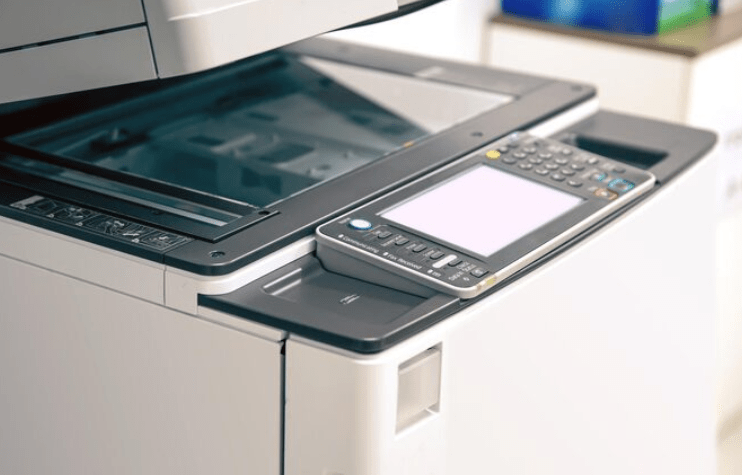
With the ever-changing nature of the digital economy, enterprises are facing constant pressure to process information faster, run their operations more efficiently, and minimize reliance on manual handling of documents. However, in sectors such as banking, healthcare, logistics, and pharmaceuticals, physical documents still constitute a significant component in day-to-day business.
Organizations still deal with large amounts of paper information, such as invoices, compliance documents, patient records, and KYC documents. While this is the challenge, the problem is that the existing scanning systems and manual document processing cause workflow bottlenecks, delays in processing approvals, and increase the chances of data inaccuracies.
In such a scenario, it is crucial to invest in the right document scanner machine.
No longer are modern enterprise scanning solutions just designed to convert paper to PDF. The systems of today are highly intelligent systems that aim to automate document capturing, enhance data quality, speed up indexing, and integrate smoothly with enterprise document management systems.
For those seeking to update their operations, it’s important to grasp the optimal mix of speed, automation, and intelligent processing. Based on enterprise-grade infrastructure solutions and managed IT services, MBM Newtech can help enterprises set up scalable digitization ecosystems for high-volume operational environments.
Why Speed Matters: Upgrading to a High Speed Document Scanner Machine
Speed is a critical factor in enterprise workflows, affecting productivity directly.
Office scanners that are used infrequently are not suitable for industries that have to scan thousands of documents a day. For small teams, a normal, desk-sized scanner might suffice, but large companies need something that can operate continuously throughout the day.
A high speed document scanner machine is a machine that is designed to scan large volumes of documents at a fast speed without compromising the quality of the image, and at the same time, helping with reliability in the machine’s operation. From a bank approving loans to a logistics firm tracking delivery receipts, scanning bottlenecks can impede entire operations.
Likewise, a high-speed scanner desk machine can certainly cut the work of manual administrative and back-office staff. Improve customer response times with a fast document scanner machine, decrease processing backlogs, and get faster approvals.
Enterprise-grade scanners usually have a set of features, such as:
- High pages per minute (ppm) output
- Duplex scanning (for both sides of documents)
- The advanced jam detection system
- A continuous duty cycle for bulk operations
- Easy integration with workflow automation software.
This reduces the amount of manual work required to achieve the same results, allowing employees to focus their time and energy on more important tasks.
In industries where strict deadlines and the pace of transactions matter significantly, an increased capacity of their scanning systems with a high speed document scanner machine can become a tangible asset in their daily operations.
The Power of Automation: Features of an Automatic Document Scanner Machine
Speed is a necessity, but it is not enough alone. It’s time for automation in modern businesses.
An automatic document scanner machine can help businesses streamline their workflows, eliminate manual document handling, and ensure consistency between departments.
The Automatic Document Feeder (ADF) is one of the most significant features, as it allows users to scan multiple pages without having to load each one individually. This is particularly valuable in medical, insurance, financial, or contract processing industries that deal with these types of documents every day.
In addition, advanced scanners have features that enable intelligent paper handling to detect double feeds, stapled pages, or paper thickness variations. These features help to protect documents from damage and to minimise scanning interruptions when using in large batch mode.
Additionally, the batch processing feature enhances workflow efficiency by enabling the scanning of various-sized and formatted documents in a single batch while also simplifying sorting and categorization of files.
These are some other automation capabilities that are commonly found:
- Barcode recognition
- Automated file naming
- Intelligent path to storage system
- Multi-format output conversion
- The integration of cloud and DMS.
For businesses looking to create paperless operations, automated scanning hardware is a significant component in boosting operational scalability, speed, and accuracy.
Demystifying the Technology: What is a Document Processor in a Scanner Machine?
A large number of businesses think that scanning is just about creating a digital copy of a paper document. But today’s enterprise systems have much more complex processing. The document processor in scanner machine is the brain of a scanner machine system.
The scanner does not just take a picture of the document. It scans the document before it is stored or transferred to enterprise systems. This document processor in scanner machine improves data extraction accuracy, readability, and workflow automation.
The document processor deals with:
- Optical Character Recognition (OCR)
- Automatic deskewing
- Blank page removal
- Background noise cleaning
- Image enhancement
- Text indexing
OCR is of particular importance as it is used to translate the scanned text into a file that is searchable and editable. This helps enterprises to access information within seconds instead of sifting through the stack of archived records.
For instance, hospitals can easily access patient records, banks can freeze bank accounts within seconds if necessary, and logistics providers can validate invoices without any manual processes.
Today’s document processors also have the ability to integrate with enterprise Document Management Systems (DMS), which can help automate workflows between departments and ensure that data security and compliance requirements are met.
For enterprise applications, intelligent document processing is the magic that makes the scanner more than just a piece of hardware and makes it a business productivity tool.
B2B Use Cases: Which Industries Need Advanced Document Scanner Machines?
While the documentation challenges can vary from industry to industry, the need for a fast document scanner machine and secure digitization is universal.
BFSI Sector
Every day, banks and other financial institutions deal with a large number of customer records, loan applications, compliance paperwork, and KYC forms.
The advanced scanning solutions support BFSI companies:
- Accelerate customer onboarding
- Improve regulatory compliance
- Minimize manual verification time
- Secure financial records that are confidential.
Opt for simplified loan processing processes. Choose simplified loan processing workflows. Rapid and smart digitization also enhances audit readiness and reduces delays in services to customers.
Pharma & Healthcare
Healthcare providers and pharmaceutical companies handle extremely sensitive patient and regulatory data.
Enterprise scanning systems can assist in digitizing:
- Patient medical records
- Prescriptions
- Insurance documentation
- Clinical reports
- Regulatory compliance paperwork
The correct combination of accurate OCR and secure storage means that healthcare organizations can have their data more accessible without compromising compliance requirements.
Logistics & Retail
Logistics and retail businesses are particularly affected by the use of documents and their impact on supply chain efficiency. Document-intensive processes directly impact supply chain efficiency in logistics and retail operations.
Organizations regularly process:
- Delivery receipts
- Vendor invoices
- Inventory records
- Shipping manifests
- Accounts payable documentation
Enterprise-grade scanning infrastructure facilitates automation of invoice management, visibility into operations, and alleviates manual dependence on documents in geographically dispersed business sites.
The Quick Fix: How to Scan Documents Without a Scanner Machine (And Why It Fails for Enterprises)
Many employees are using remote work, and they are seeking smartphone alternatives to their computer scanners. So the question is frequent – how to scan documents without scanner machine.
Document scanning apps such as Adobe Scan, Microsoft Lens, and Google Drive enable users to take a picture of a document with a phone camera. These apps are handy when you want to share documents for one-time use or get things done for personal use.
These tools could appear convenient to individuals who are unsure of how to scan files without scanner machine setups.
But the needs of enterprises are quite different. Mobile Scanning Solutions are not up to large-scale operation standards since they lack:
- Enterprise-grade security controls
- Consistent OCR accuracy
- Batch processing capabilities
- Centralized workflow integration
- Standardized document quality
- Compliance management support
For businesses with sensitive or regulated data, using mobile apps comes with security and operational dangers.
Companies need systematic, orderly digitalization spaces where documents are captured in a standardized way, automatically indexed, stored securely, and can be seamlessly connected with business processes.
Though smartphone scanning can be a short-term solution, it won’t be able to substitute the enterprise-level scanning infrastructure.
Buying vs. Managed IT: How to Procure the Right Digitization Hardware
Many companies view investment in just one device as a mere drop in the bucket. Rather, it’s an investment in a scalable and manageable technology environment.
In the past, companies bought individual hardware that required a high initial investment. But the needs of the enterprise today are dynamic, demanding flexibility in deployment, continual support, and scalable management of infrastructure.
It’s in these areas that managed IT and Device-as-a-Service (DaaS) models really offer value.
Rather than deal with procurement, maintenance, upgrades, and integration on their own, enterprises can outsource this to a proven IT infrastructure provider, such as MBM Newtech, which can provide an end-to-end deployment support package.
MBM Newtech helps organizations with:
- Multi-brand hardware support
- Enterprise device provisioning
- Managed IT infrastructure services
- DaaS rental and leasing solutions
- Scalable digitization deployment
- Workflow integration support
This way, companies can modernize their operations with minimal capital investment and access to the latest hardware and skills.
It allows companies to seamlessly integrate their scanning infrastructure with their long-term operational objectives, boosting efficiency, minimising downtime, and scaling their digital transformation efforts more effectively.
Frequently Asked Questions
- How can I scan documents without a scanner machine?
Documents can be scanned from a smartphone app like Adobe Scan, Google Drive, or Microsoft Lens. These are the applications that take a picture of your document and convert it to a digital file with the help of the phone camera. But they are not a good fit for enterprise workflows because of their lack of security, OCR accuracy, and batch processing capabilities.
- What is the purpose of a document processor in a scanner machine?
A document processor makes use of technologies, such as deskewing, image cleaning, OCR, and automatic indexing, to improve the quality of a scanned document. It facilitates turning scanned files into searchable, organised, and workflow-ready digital files.
- Why does an enterprise need a high-speed document scanner machine?
Businesses deal with lots of documents every day. A high-speed scanner streamlines the operations, frees up manual tasks, cuts down on processing time, and enables faster document management processes throughout different departments.
- What are the benefits of using an automatic document scanner machine?
Features such as Automatic Document Feeders (ADF), intelligent paper handling, duplex scanning, and batch processing are among the benefits of automatic scanners that boost productivity. These features can minimize manual work and enhance enterprise digitization procedures.
Conclusion
A modern document scanner machine is a crucial part of enterprise automation and digital transformation. Intelligent scanning infrastructure helps organizations create faster, smarter, more scalable workflows by enhancing operational efficiency, lowering manual workload, and streamlining document access, among other benefits, while ensuring compliance.
With the modernisation of business operations on the increase, companies must invest in the right enterprise digitization ecosystem for long-term growth and efficiency.
Ready to optimize your office workflows and upgrade your hardware infrastructure? Contact the experts at MBM Newtech today for tailored system integration, multi-brand hardware solutions, and comprehensive managed IT services across India!