
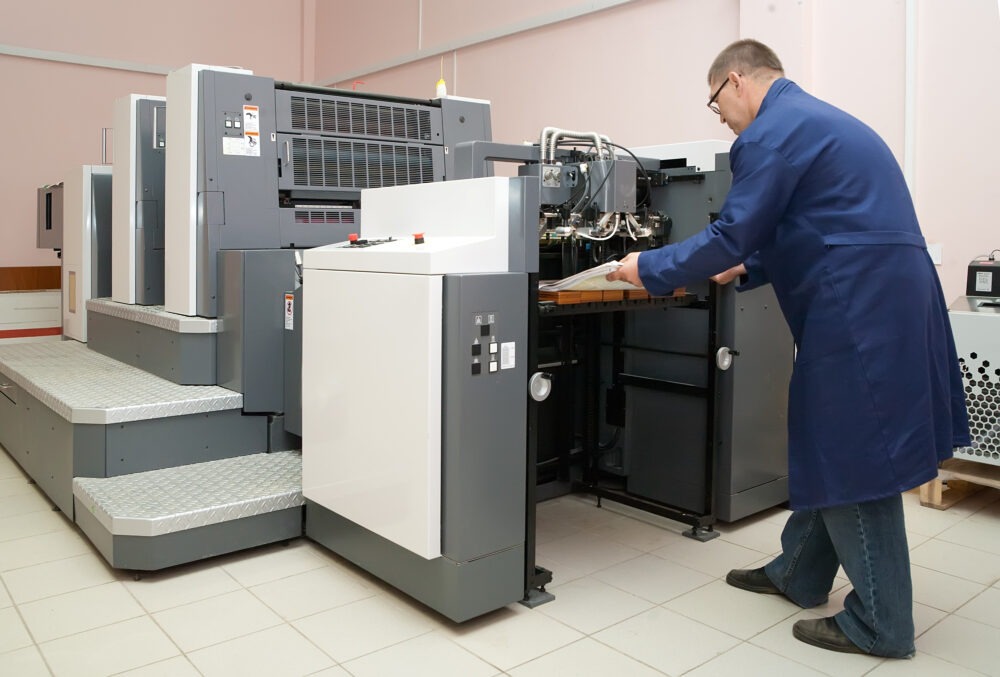
Businesses across BFSI, healthcare, manufacturing, logistics, retail, and education generate large volumes of documents every day. From financial statements and patient reports to shipping labels and production records, these documents often support time-sensitive workflows where printing delays can directly affect productivity.
As print volumes increase, standard office printers may struggle to deliver the speed and consistent output required for continuous business operations. Modern commercial printers are designed for enterprise-scale workloads and can integrate with networked business environments to improve print management across departments. For organizations managing high-volume printing requirements, the right commercial printing infrastructure can reduce operational bottlenecks while supporting secure and reliable workflows.
Why High-Volume Businesses Need Commercial Printing Solutions
Standard office printers are typically designed for moderate or occasional printing requirements. However, organizations processing thousands of pages across multiple departments need equipment capable of handling sustained workloads without frequent interruptions.
Increasing daily print volumes can put significant pressure on conventional devices, particularly when several employees share the same printer. Tight operational deadlines further increase the need for fast output, while unexpected printer downtime can delay document-intensive processes across departments.
In addition, high-volume businesses need consistent print quality regardless of whether they are producing a few hundred or several thousand pages.
Therefore, commercial printing solutions are built around higher print capacities and faster processing. Rather than supporting occasional office printing, they are designed to become part of the organization’s broader operational infrastructure.
Key Ways Commercial Printers Improve Business Operations
Commercial printers contribute to business efficiency by supporting faster document processing and centralized print management. They are particularly valuable in environments where printing remains closely connected with customer service, compliance, production, logistics, or administrative workflows.
Below are the key ways commercial printers support high-volume business operations.
Faster Printing for Time-Critical Workflows
High-speed printing allows businesses to process large document batches without creating unnecessary queues around shared printing infrastructure. Departments handling invoices, reports, customer statements, labels, or operational documentation can complete print jobs faster and keep related processes moving.
Reduced waiting time also improves employee productivity, particularly in environments where several teams depend on the same printing resources. Instead of waiting for large print queues to clear, employees can access documents when required. Consequently, commercial printers help prevent printing from becoming a bottleneck in time-critical workflows.
Consistent Performance During Peak Workloads
Business printing requirements are rarely uniform throughout the month. Financial closing periods, regulatory submissions, dispatch cycles, examinations, promotional campaigns, or seasonal operations can create sudden increases in print volumes.
Commercial printers are designed to maintain consistent performance during these peak periods and support larger print jobs with minimal downtime. Greater durability and higher duty cycles reduce interruptions caused by equipment being pushed beyond its intended capacity. As a result, organizations can maintain business continuity even when printing requirements increase significantly.
Lower Operational Costs Over Time
While commercial printing infrastructure may involve a higher initial investment than standard office equipment, it can provide better cost efficiency when print volumes are consistently high. Devices designed for large workloads typically offer more efficient consumable usage and require fewer interruptions during large print runs.
Optimized toner and paper management can further reduce unnecessary consumption and improve cost control. In addition, reliable equipment reduces maintenance-related interruptions that can affect employee productivity. Therefore, businesses should evaluate the total cost of printing over time rather than comparing devices based only on their purchase price.
Centralized Printing Across Departments
Large organizations often have multiple departments generating different types of business documents. Commercial printers can support shared print infrastructure, enabling organizations to consolidate printing requirements rather than relying on numerous standalone devices.
Centralized printing also helps standardize document output and gives IT or administrative teams better visibility over print resources. Network connectivity can enable multiple authorized users to access shared devices while print management capabilities support more structured usage. Consequently, organizations can simplify infrastructure while maintaining reliable access across departments.
Read more information : https://mbmnewtech.com/printers-networking-solutions/
Industries That Benefit Most from Commercial Printers
High-volume printing requirements exist across industries where physical documents remain important for customer communication, regulatory processes, operations, and record management. The type of documents may differ, but speed and consistent output remain common requirements.
Below are some of the industries where commercial printers play an important operational role.
Banking and Financial Services
Banks and financial institutions regularly process customer statements, account records, transaction reports, and other sensitive documentation. These operations require reliable printing capabilities because high document volumes often need to be processed within strict timelines.
Commercial printers support these requirements by enabling faster batch printing and consistent document output. Moreover, network and security capabilities can help organizations manage access to shared printing infrastructure more effectively.
Healthcare
Healthcare organizations generate patient records, diagnostic reports, prescriptions, administrative documents, and other operational paperwork every day. Delays in producing these documents can affect both administrative efficiency and patient-facing workflows.
Commercial printers provide the capacity required to handle continuous printing across hospitals and other healthcare environments. Reliable output also helps teams maintain document availability during periods of high patient volumes.
Manufacturing
Manufacturing operations depend on documents such as production reports, quality records, process documentation, work instructions, and administrative files. Many of these documents need to remain accessible across production, quality, warehouse, and management teams.
Commercial printing solutions can handle larger document volumes while supporting shared access across departments. Consequently, manufacturers can maintain consistent document availability without relying on multiple low-capacity devices.
Logistics
Logistics operations frequently require shipping labels, invoices, dispatch records, manifests, and other documents to move alongside goods. Printing delays can therefore affect dispatch timelines and create avoidable operational bottlenecks.
High-volume commercial printers allow logistics teams to process these documents efficiently during busy dispatch periods. In addition, reliable performance supports continuity when shipment volumes increase or operational deadlines become tighter.
Education
Educational institutions generate substantial print volumes through examination materials, administrative documents, student records, notices, and internal communication. Requirements can increase sharply during examinations and other academic cycles.
Commercial printers provide the speed and capacity required to manage these peak workloads. Centralized infrastructure can also support multiple administrative and academic departments while improving overall print resource management.
Commercial Printer vs Standard Office Printer
Commercial and standard office printers serve different operational requirements. While standard devices can be effective for smaller teams with moderate print volumes, commercial printers are designed for organizations where printing is a high-volume and business-critical activity.
The following comparison highlights the key differences:
| Feature | Commercial Printer | Standard Office Printer |
| Daily Print Capacity | Designed for sustained, high-volume workloads | Better suited to moderate print requirements |
| Print Speed | Faster output for large document batches | Standard speeds for routine office use |
| Multi-user Support | Enterprise-ready for shared departmental use | More suitable for smaller user groups |
| Operating Cost | Lower cost efficiency per page at scale | Can become more expensive at high volumes |
| Business Continuity | High reliability for continuous operations | Best suited for lighter workloads |
Ultimately, the right choice depends on actual printing requirements. Organizations processing large volumes should consider workload capacity and long-term operating efficiency rather than selecting equipment solely on upfront cost.
Factors to Consider Before Choosing a Commercial Printer
Selecting the right commercial printer requires businesses to evaluate both current requirements and future operational growth. A device that meets today’s print volume may become inefficient if the organization expands or more departments begin sharing the infrastructure.
Below are the key factors businesses should evaluate before making a decision:
- Monthly print volume: Determine the approximate number of pages the organization processes each month and choose equipment designed for that workload.
- Print speed requirements: Evaluate how quickly large print jobs need to be completed, particularly for time-sensitive processes.
- Colour vs monochrome output: Assess whether business documents require professional colour output or primarily black-and-white printing.
- Multifunction capabilities: Consider whether teams also require scanning, copying, or other document-handling functions.
- Network connectivity: Ensure the printer can support shared access across relevant users, teams, and business environments.
- Security features: Evaluate access controls and other security capabilities when handling confidential business documents.
- Scalability: Choose infrastructure capable of supporting increased print volumes as the organization grows.
- Maintenance and support: Consider service availability, maintenance requirements, and ongoing technical support to minimize operational disruption.
Conclusion
Commercial printers have evolved from standalone office equipment into an important component of enterprise infrastructure. For organizations managing high-volume printing, the right solution can improve productivity and scale with changing operational requirements.
MBM Newtech helps organizations build reliable business infrastructure through commercial printing and networking solutions designed around performance, scalability, and operational requirements. For businesses where printing remains a critical part of daily workflows, combining reliable hardware with network connectivity and ongoing support can create a more efficient and dependable print environment.
Frequently Asked Questions
A commercial printer is designed to handle higher print volumes, larger workloads, and continuous multi-user requirements. Regular office printers are generally more suitable for smaller teams and moderate or occasional printing.
Industries with high document volumes benefit the most, including banking and financial services, healthcare, manufacturing, logistics, retail, and education. Commercial printers are particularly valuable when printing supports time-sensitive or business-critical processes.
Commercial printers can lower the cost of high-volume printing through efficient consumable usage, fewer interruptions, and equipment designed for sustained workloads. Businesses can also consolidate printing infrastructure instead of maintaining numerous lower-capacity devices.
Businesses should evaluate monthly print volume, print speed, colour requirements, multifunction capabilities, network connectivity, security, scalability, and maintenance support. The right combination depends on the organization’s workflows and expected future growth.
Commercial printers can form part of networked enterprise print environments, depending on the capabilities of the selected equipment and software infrastructure. Businesses should evaluate compatibility with their existing print and document management ecosystem before implementation.