
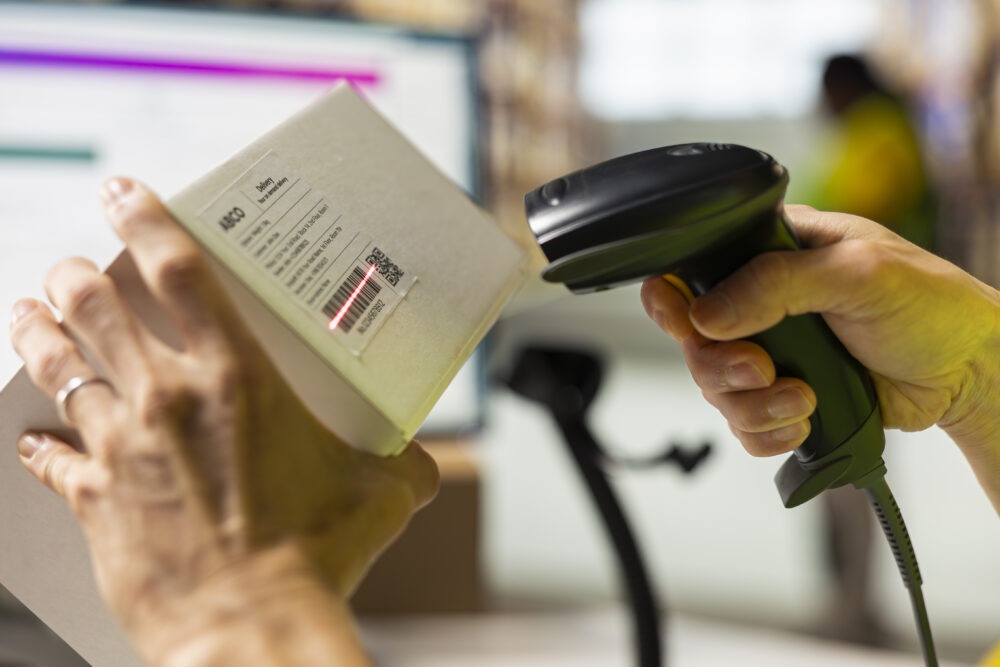
Businesses are handling more documents than ever, and slow document processing can quickly become a bottleneck for companies. From invoices and forms to contracts and records, teams need a faster way to convert physical documents into usable digital files.
This is where the right document scanner can make a difference. However, not every scanner is built for the same workload. Some are designed for high-volume office scanning, while others work better for photos, books, or field teams.
In this guide, we compare the top ten scanners based on speed, resolution, features, price range, and business use case to help you choose the right option for 2026.
Quick Buying Guide: What to Check Before Buying a Scanner
Before choosing a scanner, look beyond the price tag. The right specifications depend on how and where your team will use the device.
● PPM/IPM: Pages per minute and images per minute indicate scanning speed.
● ADF vs. Flatbed: An Automatic Document Feeder is better for bulk documents, while a flatbed works well for books, photos, and fragile documents.
● Duplex scanning: Single-pass duplex scanning captures both sides of a document at once, saving time.
● Connectivity and OCR: USB, Wi-Fi, cloud integration, and OCR can make scanned documents easier to access, search, and manage.
Top 10 Scanners in India 2026
The best scanner for your business depends on the type and volume of documents you handle.
Here are ten options suited to different requirements.
1. Epson WorkForce DS-530 II – Best for High-Volume Daily Office Scanning
The Epson WorkForce DS-530 II is suited to offices that scan documents regularly and in large volumes. It offers speeds of up to 35 ppm / 70 ipm with a 50-sheet ADF.
Its double-feed detection helps reduce scanning errors when processing multiple documents. Therefore, it can be a practical choice for corporate teams that need dependable daily document capture.
Best for: High-volume office scanning.
2. Canon imageFORMULA DR-C225 II – Best for Compact Offices
The Canon imageFORMULA DR-C225 II is designed for offices where desk space is limited. Its upright J-path design keeps the scanner compact while supporting duplex document capture.
With a scanning speed of up to 25 ppm, it offers a balance between performance and space efficiency.
Best for: Front desks and compact office workspaces.
3. Fujitsu / Ricoh ScanSnap iX1600 – Best for Cloud Integration
The ScanSnap iX1600 is built for teams that want a simple way to scan and send documents into digital workflows. It offers speeds of up to 40 ppm, along with a 4.3-inch touchscreen and Wi-Fi connectivity.
One-touch scanning profiles can also make repetitive scanning tasks easier. As a result, it is well suited to offices that rely on cloud storage and connected workflows.
Best for: Cloud-based and wireless document management.
4. Brother ADS-2200 – Best Value for Growing SMBs
The Brother ADS-2200 combines a 35 ppm scanning speed with a 50-sheet capacity, making it suitable for growing teams that need regular document scanning without moving into a higher price tier.
For small and mid-sized businesses, it offers a practical balance between speed, capacity, and cost.
Best for: Growing SMBs looking for value.
5. HP ScanJet Pro 2600 f1 – Best for Mixed Scanning Requirements
The HP ScanJet Pro 2600 f1 combines an ADF and flatbed, making it useful for offices that handle different types of documents.
The flatbed is useful for IDs, passports, and documents that should not be fed through an ADF, while the automatic feeder can handle regular loose pages.
Best for: Offices with mixed document types.
6. CZUR ET18 Pro – Best for Books and Bound Documents
The CZUR ET18 Pro takes a different approach to document scanning. Its overhead camera system can capture a page in around 1.5 seconds, while its curve-flattening technology helps improve scans of books and bound documents.
This makes it particularly useful where documents cannot easily be separated or fed through a conventional scanner.
Best for: Libraries, legal records, academic archives, and bound documents.
7. Epson Perfection V39 II – Best for Budget Flatbed Scanning
The Epson Perfection V39 II is a compact flatbed scanner with up to 4800 DPI resolution. It is USB-powered and designed for users who need detailed scans without requiring a high-volume document feeder.
It can be a good fit for occasional document and photo scanning where image detail matters more than speed.
Best for: Photos, detailed documents, and low-volume scanning.
8. Canon CanoScan LiDE 300 – Best for Basic Office and Home Use
The Canon CanoScan LiDE 300 is a compact flatbed scanner designed for straightforward scanning tasks. It supports up to 2400 DPI and includes four EZ buttons for commonly used functions.
Its USB connectivity and compact design make it suitable for light administrative work where scanning volumes are relatively low.
Best for: Basic office and home workstations.
9. Plustek SmartOffice PS3150U – Best for Commercial Batch Scanning
The Plustek SmartOffice PS3150U is designed for high-volume document processing. With speeds of up to 50 ppm and a 100-sheet ADF, it can handle larger batches without constant manual loading.
This makes it suitable for paper-heavy sectors such as BFSI and legal services where large numbers of documents need to be digitized.
Best for: Commercial batch scanning and enterprise archiving.
10. IRIScan Book 5 – Best for Field Teams
Not every team works from a desk. Auditors, field agents, and mobile teams may need to capture documents while travelling between locations.
The IRIScan Book 5 is designed for portability and can operate as a handheld, battery-powered scanner. This allows teams to capture documents directly in the field instead of carrying paperwork back to the office.
Best for: Field teams, mobile audits, and on-the-go document capture.
Scanner Comparison: Speed, Use Case and Price Tier
A quick comparison can make it easier to shortlist a best scanner for office use based on your workload.
| Scanner Model | Scan Speed | Best Use Case | Price Tier |
| Epson WorkForce DS-530 II | 35 ppm | High-volume office | Mid–High |
| Canon DR-C225 II | 25 ppm | Compact workspace | Mid |
| ScanSnap iX1600 | 40 ppm | Cloud and touchscreen workflows | High |
| HP ScanJet Pro 2600 f1 | 25 ppm | Mixed ADF and flatbed | Mid |
| Epson Perfection V39 II | Flatbed | Photos and low-volume work | Budget |
When comparing document scanner price India, businesses should also consider operating requirements rather than looking only at the initial purchase price. A high-speed document scanner may cost more upfront but can save considerable time when teams process hundreds or thousands of pages regularly.
Scaling Up: Hardware Sourcing and Procurement with MBM Newtech
Buying one scanner is relatively straightforward. Building a reliable scanning setup across multiple teams or locations requires more planning.
Businesses need to consider many aspects, including device compatibility, deployment, maintenance, IT support, and future expansion. Therefore, hardware procurement should be planned around the overall document workflow rather than individual devices.
MBM Newtech helps businesses source enterprise IT hardware and build customized document management environments based on their operational requirements. For organizations that prefer to avoid high upfront capital expenditure, IT hardware rental and Device-as-a-Service options can also provide greater flexibility.
This approach allows businesses to scale their hardware infrastructure while keeping procurement, deployment, and support requirements easier to manage.
Conclusion
The right scanner depends on what your business needs to scan and how often you need to scan it. ADF scanners are better suited to high-volume document processing, flatbeds work well for books and fragile media, while portable scanners are useful for field teams.
Before deciding, compare factors like speed, document capacity, connectivity, scanning type, and the overall cost of ownership.
If you need help selecting or sourcing the right hardware, MBM Newtech can help you evaluate suitable document scanning and IT infrastructure solutions.
FAQs
An ADF scanner automatically feeds multiple pages, making it suitable for bulk document scanning. A flatbed scanner requires documents to be placed individually on a glass surface and is better suited to books, photos, IDs, and fragile documents.
Yes. Businesses can explore IT hardware rental and Device-as-a-Service models instead of purchasing scanners outright. This can help reduce upfront capital expenditure and provide greater flexibility when scanning requirements change.